
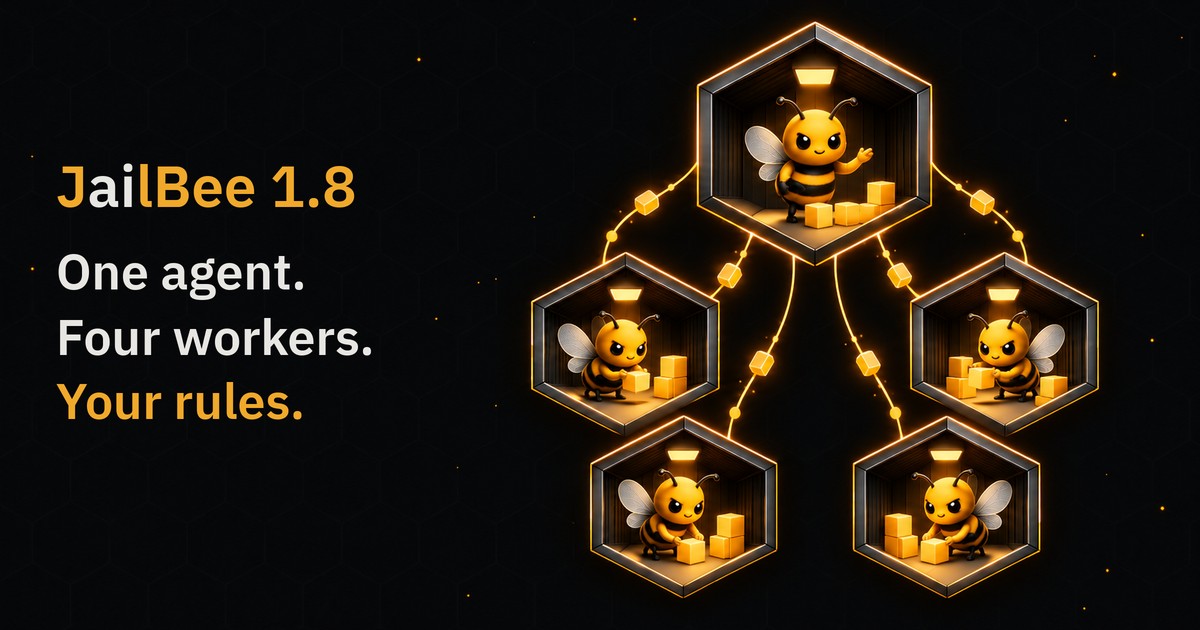
Running several coding agents is useful. Creating their environments, passing tasks between them and collecting their changes is still work for you. JailBee 1.8 lets an agent take on that coordination, within limits you set on the host.
JailBee gives coding agents isolated Linux development environments using Incus system containers. In 1.7, the dashboard made it easier to supervise many of them. In 1.8, a container can become an orchestrator: its agent can start child containers, give each one a task, exchange messages and bring the resulting commits into its own branch.
From a bug backlog to one branch
Suppose you have several well-defined bug tickets. Ask the orchestrator to work through them using child containers, with one child per ticket and no more than four running at once.
The orchestrator reads the tickets through the container's read-only GitHub access and gives each child a prompt with the problem and acceptance tests. Each child gets its own container and working tree, where it can investigate, change code and run tests without sharing the orchestrator's checkout. The prompted agent starts only after the container's autostart stages have finished.

Children can send progress notes, questions and blocked reports back to the orchestrator. When a child reports that it is done, its work must be committed. The orchestrator imports the branch, merges or cherry-picks the commits, and resolves any conflicts itself. Import does not merge anything automatically.
After collecting a result, the orchestrator can stop or destroy that child to free a slot for the next ticket. Spawns beyond the running-child limit wait in a queue. Later children can fork from the orchestrator's updated branch, so they start with the fixes already collected.
At the end, the orchestrator can prepare a pull request through JailBee's existing outbox. You review the result and publish it from the host; the agent does not gain permission to publish to GitHub.
This also works for a set of implementation plans. Independent plans can run in parallel; a dependent plan starts after its prerequisites have been merged. The bundled skills teach the protocol, but the coding agent still makes the planning and integration decisions.
You grant the rights, not host access
On the host, give an existing container a grant:
jb orchestrate grant bugs --children 4
jb orchestrate show bugs
Without a configured default profile, this permits spawning, messaging, importing, restarting, stopping and destroying the orchestrator's own children, with up to four running at once. It grants no optional mounts, loose networking or extra egress. Named profiles let you reuse a policy; a configured default profile supplies the starting values for a plain grant.
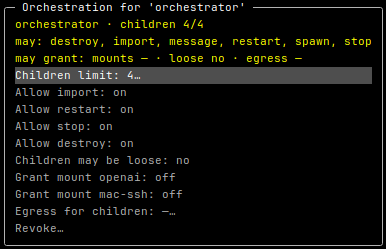
The agent does not get a host shell or direct access to Incus. It writes structured requests to an outbox inside its container. A host-side broker checks each request against the grant before acting. The container cannot widen its own grant, and repository-level restrictions can narrow it further.
You decide which optional mounts and network exceptions the orchestrator may give its children. A child receives the rights requested for it, within those bounds, rather than inheriting the orchestrator's optional access. Children cannot create another generation of children.
The terminal dashboard shows orchestrator and child roles, groups children under their parent and exposes the grant controls. You can also revoke a grant from the host:
jb orchestrate revoke bugs
Revocation blocks further orchestration operations and drops queued spawns; it does not stop existing children. Those remain yours to inspect or stop.
See container orchestration for profiles, remote SSH limits and the full lifecycle.
Containers when you need environments
Child containers complement an agent's own subagents; they do not replace them. Research or a code review may need only another agent conversation. A separate implementation task may need its own checkout, services and test environment.
The bundled orchestrator skill keeps ordinary delegation on the agent's subagent tool and uses child containers when you ask for them. A grant permits orchestration; it is not an instruction to spawn workers for every task.
Initial prompts also work without orchestration. Both jb new and jb fork
accept --prompt FILE|-, and primary_agent selects which configured agent
receives the task. The prompt is sent once, not replayed on every container
restart.
Reviewing and managing the results
The new outbox manager brings proposals, actions and comments into one
list with a rendered preview. Open it with jailbee outbox or from the
terminal dashboard to inspect, publish or clear work without stepping
through the old picker chain. Its all-repositories view collects proposals
across registered repos.
PR review comments can now be staged in an unsubmitted GitHub review, so you can inspect and submit them on GitHub rather than publishing them immediately. General comments stay in the outbox.
A few other changes help when there are more containers to manage:
jailbee memand the dashboard's Memory action adjust a container's memory limit. Containers without an override followdefaults.memory, including live updates fromjailbee apply.jailbee destroy --stoppedremoves a repo's stopped containers after one confirmation, and the dashboard can clean up marked orphan containers.- The dashboard's details panel is resizable, and the agent's last message keeps its Markdown formatting instead of becoming one long quoted line.
Upgrading
uv tool upgrade jailbee
jailbee upgrade --dry-run
jailbee upgrade
For orchestration, rebuild the golden image with jailbee base build to
include the jailbee-inbox helper, and run jailbee apply to install the
bundled orchestrator and child skills. The upgrade command handles the
release's required steps across registered repositories; apply also
updates inherited memory limits.
The full list is in the changelog. If you are new to JailBee, start with installation.